Free vCard generator — hosted page + QR code
Build a vCard once, share it forever. Get a shareable URL and QR code so recipients can open your details and choose to save your contact. Edit your details any time — every QR you've printed updates with you.
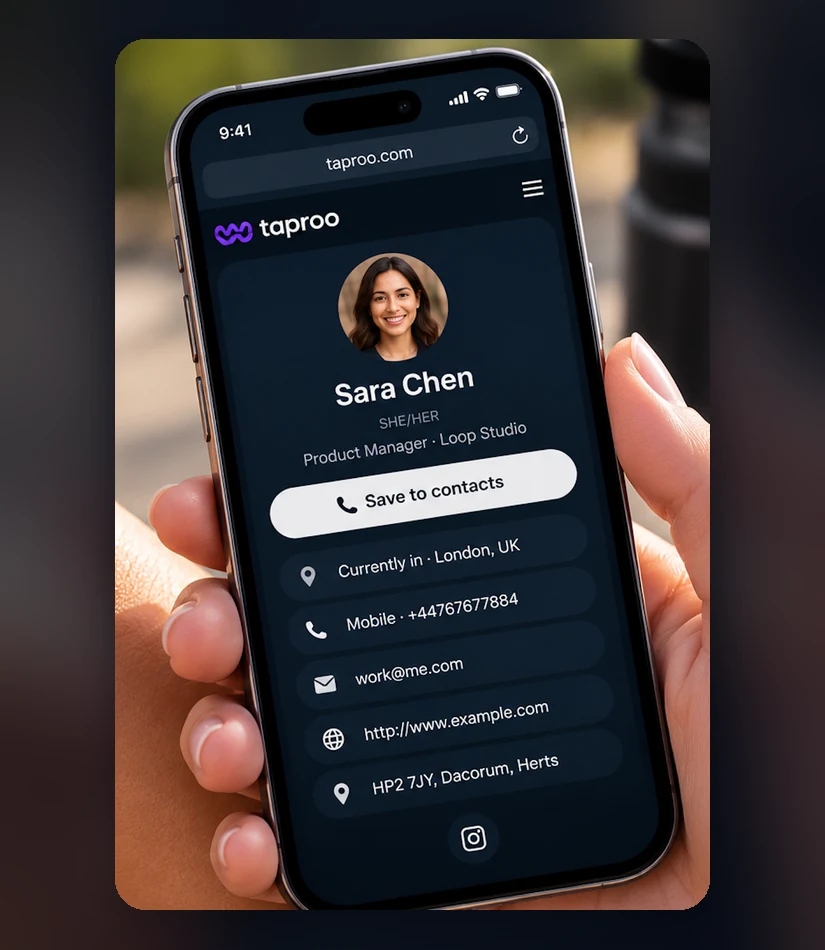
How do you generate a vCard QR code?
Enter your name, role, phone, email and links to create a hosted contact page. The QR code opens that page; recipients can then choose to save your details. Unlike a QR that embeds a static contact file, the hosted page can be edited later.
Free hosted vCard + QR
Hosted contact page, shareable QR and contact-file option, subject to your plan's current limits.
Editable, not baked-in
Unlike static vCard QRs, your QR points at a page you can edit. Change number or job — every printed QR updates.
Save-to-contacts in one tap
Recipients can open your page and choose to save the contact; the import steps vary by device and contacts app.
How it works
- 1
Fill in your contact details
Create a free Taproo account, then add your name, role, phone, email and any socials you want to share.
- 2
Download your QR (or share the URL)
Grab the QR as PNG or SVG for print, or copy the short URL to drop in your email signature, LinkedIn banner or Zoom background.
- 3
Optional: order an NFC card
Choose a compatible NFC card or keychain from the shop and link it to your hosted contact page. Check the current product listing for price and options.
Taproo shop
Pair your vCard with a Taproo NFC card
Share a hosted vCard with a compatible NFC card or keychain. Your linked Taproo page can be updated without reprinting the hardware.
Create your free vCard
Create your account, build your hosted contact page and share its QR code.
Start free