QR and NFC menu for restaurants & cafés
Create a QR and NFC menu diners scan or tap to view your live menu. With Pro you get a hosted menu page and dynamic QR codes — update prices, specials and allergens any time without reprinting.
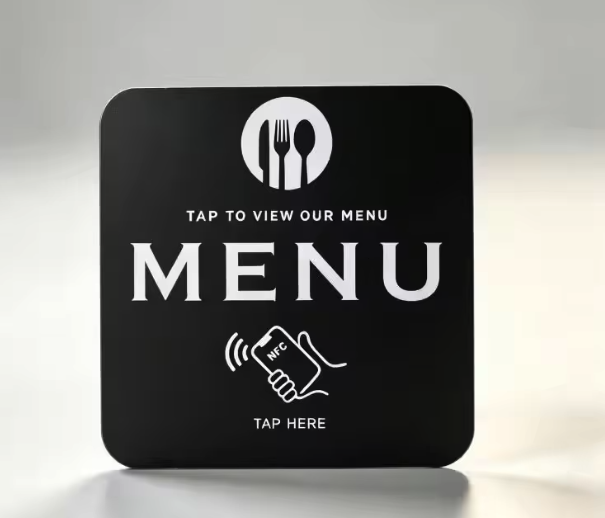
How do you make a QR and NFC menu for a restaurant?
Upload your menu as a PDF or link, generate a dynamic QR code, then print it for tables, windows and bags — or order NFC table talkers so guests can tap instead of scan. Update the destination any time without reprinting.
Hosted QR & NFC menu page
A mobile-friendly menu with sections, prices, photos and allergens — included with Pro.
Editable prices & specials
Dynamic QR codes let you update prices and 86'd items any time without reprinting a single table card.
NFC table talkers (optional)
Branded acrylic stands with QR + NFC tap for every table — diners can also tip and review in one flow.
How it works
- 1
Build your QR and NFC menu
Upload a PDF, link to your existing menu, or build sections with prices and allergens directly in Taproo.
- 2
Download the QR (or order NFC table talkers)
Grab a print-ready QR for your laminated menus, or order branded NFC + QR talkers we'll print and program.
- 3
Place on every table
Diners scan the QR or tap the NFC tag to view your live menu. Update prices any time without reprinting.
Taproo shop
Pair your digital menu with NFC and QR stickers
Explore menu tap stickers, printed QR stickers and custom labels. Link a compatible product to an editable menu destination so supported content can change without reprinting.
Why restaurants choose a QR and NFC menu
Never reprint again
Change prices, daily specials and 86'd items in seconds — every table card updates instantly.
A menu diners enjoy
A hosted, mobile-friendly menu with sections, photos and allergens — no PDF pinch-and-zoom.
See what gets scanned
Table-by-table scan analytics show which placements and sections diners actually use.
Menus are included with Pro at £9/mo. See Pro plan details