NFC vs QR Code: Which is Better for Small Business?
Compare NFC and QR codes for small businesses by customer task, placement, compatibility and cost. Choose a practical setup without assuming one method is always best.
Updated 31 October 2026
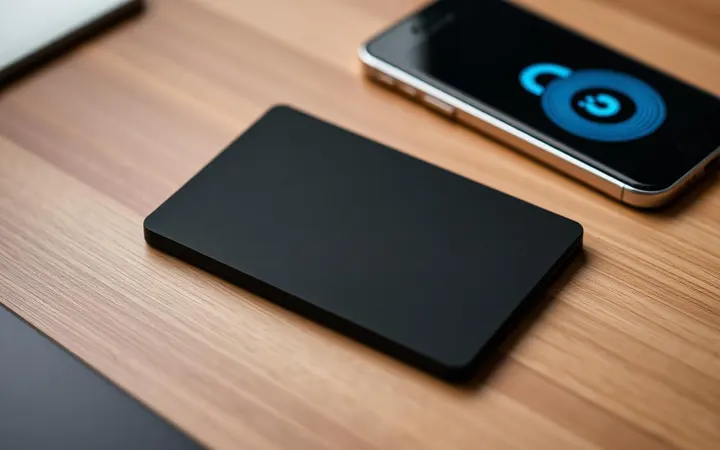
NFC or QR code — which is better for a small business?
Start with the interaction your customer needs. A QR code is a practical choice for posters, screens and a low-cost first trial. NFC is useful at a nearby physical touchpoint such as a counter or business card. Use both where a visible scan option and a compatible-phone tap option help the same audience; neither method is best for every small business.
Quick answer
- Speed and convenience: NFC can open a configured link when a compatible phone is held nearby. QR codes are scanned with a camera. Actual speed depends on the device, placement and destination.
- Reach and compatibility: QR scanning depends on camera support, code size, contrast and distance. NFC needs a compatible NFC-enabled phone at close range.
- Setup costs: Static QR codes can be printed on paper at minimal cost, while physical NFC hardware requires an embedded microchip.
- Dynamic flexibility: Both NFC chips and dynamic QR codes can link to dynamic, editable landing pages that update instantly without replacing physical hardware.
---
How NFC and QR codes compare for small businesses
Choosing between NFC (Near Field Communication) and QR (Quick Response) codes depends on where and how your customers interact with your business.
| Feature | NFC (Near Field Communication) | QR Codes |
|---|---|---|
| Action required | Hold phone near tag | Open camera, point, and tap notification |
| Operating range | Close range; depends on phone, tag and placement | Depends on printed size, camera and lighting |
| Lighting dependency | None (works in the dark) | Requires adequate light to scan |
| Surface material | Needs anti-metal shielding if placed on metal | Prints on paper, card, glass, or plastic |
| Customer action | Hold a compatible phone near the tag and open the link | Frame the code with a compatible camera and open the link |
When NFC is the superior choice
NFC is useful where customers can comfortably bring a compatible phone close to a labelled tap point. Typical use cases include:
- In-person networking: Handing over contact details via a digital business card using a smart card.
- Point of sale feedback: Capturing customer reviews at the till or counter using a dedicated tap card.
- Direct messaging: Launching a direct chat using a Business WhatsApp Tap NFC Sticker (single) (from £6.99) to instantly connect customers with your support or sales team.
When QR codes are the superior choice
QR codes remain indispensable when physical proximity is impossible or impractical:
- Print marketing & signage: Billboards, shop window displays, posters, and flyers.
- Broad scanning: Group interactions, such as table ordering with a menu QR code generator or fast arrivals with an event check-in QR code.
- Zero-hardware setups: Digital screens and emailed receipts.
To explore how these technologies work side by side, see our guide on combining QR and NFC.
---
Hardware options for UK businesses
When deploying physical touchpoints across your premises or on the go, selecting the right format ensures durability and reliable scans.
For direct customer interactions at counters, bars, or exhibition stands, the NFC Google Review Standing Card (currently £12.99) is an ideal desktop solution, providing a visible NFC tap point to open a configured review destination. Check the product listing before assuming a printed QR code is included.
If your team is meeting clients face to face, the NFC Business Card (from £19.99) replaces stacks of disposable paper cards with a reusable, professional tap-and-scan card linked to a live vCard generator profile. For general placement on menus, counter displays, or equipment, the NFC Taproo sticker (from £6.99) provides a compact, self-adhesive option.
Browse all form factors in the Taproo shop.
---
UK practicalities: dynamic hosting, pricing, and dispatch
Physical tags and QR codes are only as effective as the destinations they link to. When you print a static URL or encode a fixed link, changing your menu, contact number, or promotional offer requires reprinting the materials or re-encoding physical chips.
Using dynamic landing pages allows you to update your links, social media handles, and contact details in real time via pre-built templates.
Current Free and paid plan limits are listed on the Taproo pricing page. Check them before planning a multi-location deployment.
All physical hardware orders ship directly from the UK with UK delivery only, while digital management memberships can be accessed worldwide.
---
FAQs
Can an NFC tag and a QR code point to the same link?
Yes. Encoding an NFC chip with the exact URL displayed by your dynamic QR code ensures that every customer arrives at the same landing page regardless of whether they tap with NFC or scan with their smartphone camera.
Do customers need a special app to scan NFC or QR codes?
Many compatible phones can open an NFC URL or QR link without a dedicated scanner app. Support varies by phone and settings. Apple documents background NFC reading; test the actual tag and destination on the phones your customers use.
What is the cost difference between NFC and QR code rollouts?
QR codes carry minimal setup costs because they can be printed onto standard paper or cards. NFC requires physical hardware. Compare the exact tag's material, mounting conditions and programming with the cost of printing a QR sign; NFC alone does not establish durability or a better conversion rate.
Why do hospitality venues use both NFC and QR for table menus?
Hospitality venues use both technologies on table markers so guests in dimly lit areas or those wanting instant ordering can tap via NFC, while diners seated across larger tables can scan the QR code from their seats.
---
A decision checklist for UK small businesses
| Situation | Start with | Why |
|---|---|---|
| Poster, window, email or screen | QR code | A visible scan point can be reached without touching the display. |
| Reception desk or service counter | NFC tap point, with QR where supplied | The touchpoint is close enough for compatible phones; a scan option gives an alternative. |
| Networking | A hosted contact page shared by QR, with an optional NFC card | Try the digital page before buying hardware. |
| Guest Wi-Fi | A correctly configured Wi-Fi QR code | A URL-bearing NFC tag opens a page; it does not automatically join Wi-Fi on iPhone. |
| Menu or campaign updates | A supported editable destination | The hosting and plan determine what can change after printing. |
Start with one location, test the complete customer journey, and measure completed actions rather than treating every tap as a sale. Create a vCard, make a Wi-Fi QR code or compare Google Review formats.
This is Taproo's own comparison of technologies and use cases, not a measured conversion study.
Next steps
- Explore ready-to-use tap-and-scan products in the Taproo shop to equip your venue, counter, or team.
- Compare free and pro account features on our pricing page to manage your dynamic links.
- Customise your contact pages, digital menus, and link hubs using responsive templates.
Get started with Taproo
Smart NFC tags and QR codes that point at pages you can edit any time — no reprinting.