Comparison · checked 7 November 2026
Taproo vs Blinq
Taproo vs Blinq compared for UK buyers: free plans, monthly prices, NFC cards, Apple and Google Wallet, AI notes, CRM sync and what else each card can do.
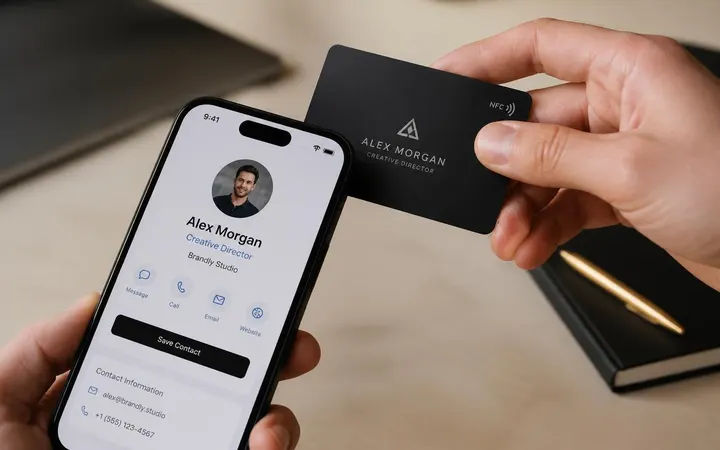
Should I choose Taproo or Blinq for a digital business card?
Blinq is a digital business card app with a generous free tier, Apple and Google Wallet passes, AI notes and team CRM sync on monthly plans. Taproo is a UK platform: buy the NFC card once, keep its card page on the Free plan, and use the same account for Wi-Fi, luggage, Emergency ID (ICE) and review tags.
Taproo vs Blinq: side by side
| Feature | Taproo | Blinq |
|---|---|---|
| Free plan | 1 dynamic vCard + 1 other dynamic page, no time limit | Two free digital business cards, unlimited sharing |
| Paid plan for one person | Pro £9/month | Premium $9.99/month or Pro $22.49/month (monthly billing, USD as shown to us) |
| Team pricing | Team plan coming soon; automatic bulk discounts on tags | Business $6.99 per card per month, from 5 cards |
| Physical NFC card | Sold in our shop, shipped pre-programmed, paid once | Sold through their NFC shop |
| Apple / Google Wallet | Not yet — in development; one-tap Save contact instead | Yes, on the Free plan |
| AI notes and contact enrichment | No | AI Notetaker on Free (last 30 days); enrichment from Pro |
| Lead capture and CRM | Save contact button; no badge scanning or native CRM sync | Badge scanning, lead forms and native CRM integrations on Business |
| Other things one account can run | Digital business card, Wi-Fi, WhatsApp, luggage, Emergency ID (ICE) and event pages; Google review and menu pages on Pro | Business cards, lead capture, email signatures and virtual backgrounds |
| Currency | GBP (£) | Shown to us in USD |
| Company | Casa De Bo Ltd, UK (company no. 16401521) | See blinq.me |
Blinq details last checked 7 November 2026 on their own pricing page. Prices and plans change — check there for today's figures.
Taproo NFC business cards today — from £19.99
Live shop prices, paid once. The card page stays live on the Free plan.
Choose Taproo if…
- You want to pay once for the card and keep its page live without a subscription.
- You also want tags for reviews, Wi-Fi, luggage or Emergency ID (ICE) in the same account.
- You want GBP prices and a UK company on the invoice.
Choose Blinq if…
- You want your card in Apple or Google Wallet today.
- You want AI meeting notes and automatic contact enrichment.
- Your team needs badge scanning and native CRM sync.
Try Taproo free
Build a page on the Free plan, print a dynamic QR code, and add an NFC tag whenever you want the tap version.
Other comparisons
- Taproo vs Linktree — What is the difference between Taproo and Linktree?
- Taproo vs Popl — Should I choose Taproo or Popl for an NFC business card?
- Taproo vs standalone QR code generators — Do I need a QR code generator or a platform like Taproo?
- Taproo vs V1CE — Should I choose Taproo or V1CE for an NFC business card?
- Taproo vs Mobilo — Should I choose Taproo or Mobilo for an NFC business card?
- Best NFC business cards in the UK — what to look for before you buy.