Best QR Code Generator with Logo for UK Small Businesses
Discover a reliable QR code generator with logo upload for UK small businesses. Compare options and Taproo's own solution.
Updated 3 September 2026
Best QR Code Generator with Logo for UK Small Businesses
For small UK businesses seeking a QR code generator with logo upload, Taproo offers a secure, easy-to-use solution directly tailored to local needs. Unlike overseas providers, Taproo’s QR code generators support logo integration and generate dynamic QR pages that can be updated without reprinting marketing materials—a valuable feature for growing businesses. Pricing is clear, in Pounds Sterling, with no extra signup for third-party tools.
Quick answer
- Logo integration: Users can upload a brand logo directly into dynamic QR codes at no extra charge using default tools.
- Editable dynamic codes: Destination links, contact details, and menus can be updated instantly after printing without generating new QR codes.
- Physical NFC options: Custom-branded QR codes work with NFC products, including stickers from £6.99 and business cards from £19.99.
- Subscription requirements: No ongoing subscription is required to use the generator unless choosing premium templates or advanced analytics.
How Taproo’s QR Code Generator with Logo Works
Taproo enables logo or brand image integration directly into your QR codes, whether you’re creating WiFi access, digital menus, business vCards, or link pages. Using Taproo’s menu-qr-code-generator or wifi-qr-code-generator, you can upload your logo as part of the creation process. All QR codes are printable and work seamlessly with Taproo’s NFC-enabled products like the NFC Taproo sticker, which starts from £6.99—the most budget-friendly option for logo-branded stickers ideal for shop fronts, packaging, or business cards.
All Taproo dynamic QR pages can be edited after the QR code is created: update links, contact details, or menu specials as your business changes. No ongoing subscription is required unless you select premium templates or advanced analytics, detailed on the pricing page.
Choosing the Right QR Product for Your Business
For portable or standout branded QR, consider alternatives like the NFC Business Card (from £19.99) for a premium, reusable touch point, or for eco-conscious branding, the NFC Wallet Card (Eco Wood) at £19.99 offers a sustainable alternative. All products allow your custom QR code with logo, linking to a Taproo edit-enabled page.
Explore more custom designs at Taproo templates, and browse the full product range at the Taproo shop.
Step by step: make a QR code with your logo
- Open the generator. Start at the branded QR code generator, or pick a job-specific one: Wi-Fi, menu or vCard.
- Choose what the code opens. A website, a Taproo page, a menu, a review link, a Wi-Fi join screen or a contact card. If the destination might change later, choose a dynamic Taproo page so you never reprint.
- Upload your logo. Drop a PNG or SVG into the centre slot and keep it to roughly 20–25% of the code's width. A transparent PNG with a small white padding ring reads best.
- Set error correction to level H. This is the step most generators get wrong. Level H tolerates about 30% obstruction, which is what makes a centred logo safe. Taproo defaults to H.
- Apply your brand colours. Use a dark foreground on a light background with at least 40% contrast, and keep gradients off the data squares.
- Test on three real phones at print size. One iPhone, one recent Android, one older Android. If any hesitates, increase the size or the contrast.
- Export and print. SVG or PDF for print, PNG for screens. Sizing rule of thumb: minimum width equals scan distance divided by ten.
Real-world example
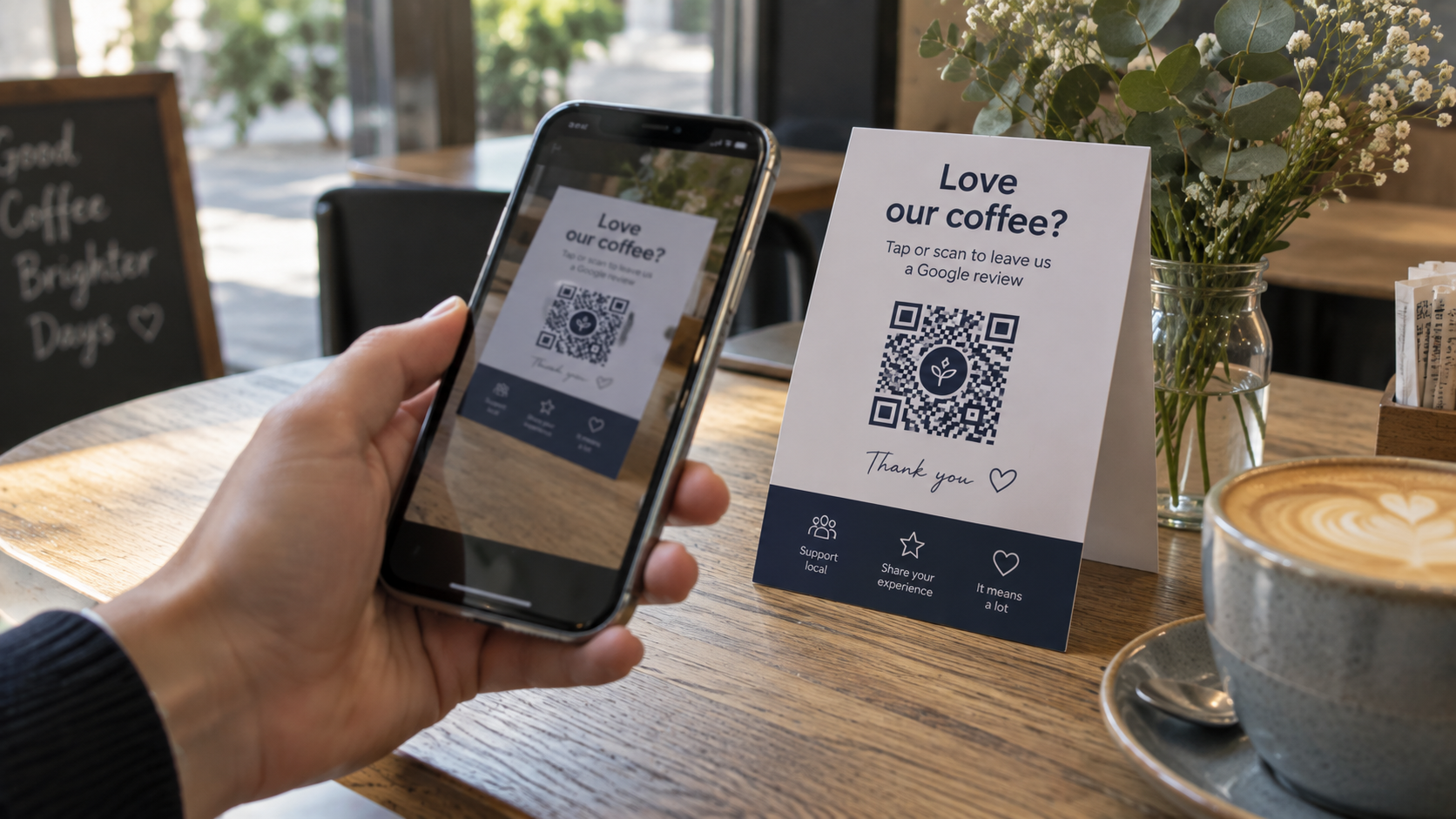
Branded QR codes with your logo work for menus, review cards, Wi‑Fi signs and checkout counters — anything customers tap or scan in person.
For the full walkthrough with the error-correction detail explained, read how to make a custom QR code with a logo.
FAQ: QR Code Generator with Logo for UK Businesses
Can I edit my QR code content after printing it?
Yes, all Taproo dynamic QR codes link to editable pages, so you can update information and have it reflect instantly without reprinting codes.
Are there additional charges for uploading a logo?
No extra charge for adding your logo to any QR codes created with Taproo’s default tools and templates. Some advanced design options are available on paid plans; see pricing.
Are Taproo QR generators suitable for all business types?
Yes, Taproo supports hospitality, retail, events, and professionals, with solutions ranging from NFC Taproo stickers to NFC Business Cards.
Next steps
- Browse the Taproo shop for QR-compatible stickers and cards ready for your business logo.
- Compare Taproo pricing to see which QR and NFC plan suits your needs.
- Explore Taproo templates for creative inspiration and premade layouts for QR marketing.
Get started with Taproo
Smart NFC tags and QR codes that point at pages you can edit any time — no reprinting.